
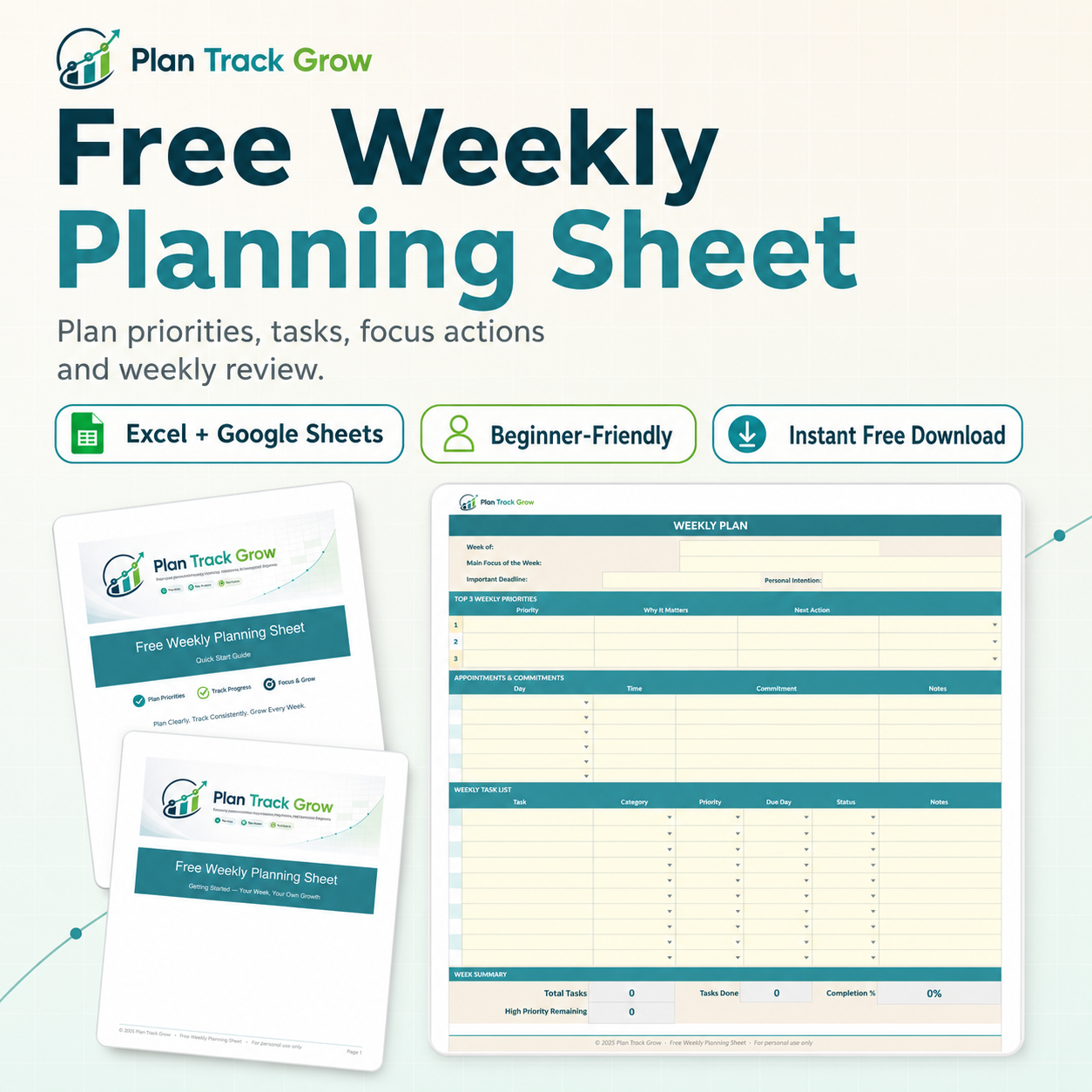
Free Weekly Planning Sheet: Priorities, Tasks, Habits, and Review
Plan your priorities, tasks, appointments, simple habits, and weekly review in one clean spreadsheet.
Free
If your week feels scattered before it even begins, this free planning sheet gives everything a simple place to land.
The Free Weekly Planning Sheet helps you organize your weekly priorities, appointments, tasks, simple focus actions, and end-of-week review in one clean spreadsheet. It is designed for people who want more clarity without using a complicated planner, app, or project management system.
Use it at the start of the week to choose what matters most, list what needs to be done, track a few small habits or focus actions, and close the week with a short reflection.
This is a beginner-friendly spreadsheet you can use in Excel or Google Sheets. Download it, save your own copy, and start planning your week in minutes.
What’s Included
Your free download includes:
Weekly Planning Sheet spreadsheet
Start Here instructions
Weekly priorities section
Appointments and commitments section
Task list with category, priority, due day, and status
Simple habit and focus check area
Weekly review prompts
Quick Start PDF guide
Google Sheets copy instructions
Who This Free Planner Is For
This free weekly planning sheet is best for you if:
your tasks are scattered across notes, memory, and random lists
you want a simple weekly plan without a complicated app
you need a place for priorities, tasks, appointments, and small habits
you like spreadsheets but want something clean and easy
you want to plan your week in 10 to 15 minutes
you are building a more organized planning routine
you want to try the Plan Track Grow system before buying a paid planner
What This Helps You Do
Use this free planner to:
choose your top weekly priorities
stop carrying every task in your head
see appointments and commitments clearly
organize tasks by category and priority
track a few simple habits or focus actions
review what worked before planning the next week
create a weekly rhythm you can repeat
This free sheet is intentionally simple. It gives you a clear starting point, not a giant planning system that takes longer to manage than your actual week.
How It Works
Download the free spreadsheet.
Save your own copy in Excel or Google Sheets.
Choose your top 3 priorities for the week.
Add appointments and fixed commitments.
List your tasks and choose due days.
Track a few simple focus actions.
Complete the weekly review before planning the next week.
You can use it every week by duplicating the file and renaming the new copy for the current week.
Important Notes
This is a digital download. No physical product will be shipped.
You will need access to Microsoft Excel, Google Sheets, or another compatible spreadsheet program to use the file.
The spreadsheet is designed for personal planning and personal use. It is not for resale, redistribution, sharing, or commercial template use.
Because this is a free digital product, please download and save your own copy after checkout.
Personal Use License
This free template is for personal use only.
You may:
download it for your own planning
duplicate it for your own weekly use
use it in Excel or Google Sheets
print it for personal use if needed
You may not:
resell the file
redistribute the file
upload it as your own product
share the editable file publicly
use it as a commercial template
include it in another paid or free product
claim the design, structure, or content as your own
All rights are reserved by Plan Track Grow.
FAQ 1: Is this really free?
Yes. The Free Weekly Planning Sheet is a free digital download. You will still need to enter your email so the download can be delivered to you.
FAQ 2: What software do I need?
You can use the spreadsheet in Microsoft Excel or Google Sheets. Google Sheets copy instructions are included.
FAQ 3: Can I reuse it every week?
Yes. Keep one clean copy of the original file, then duplicate it each week and rename the new copy for the current week.
FAQ 4: Is this beginner-friendly?
Yes. The sheet is designed to be simple and beginner-friendly. A Quick Start guide is included to help you use it step by step.
FAQ 5: Is this the same as Weekly Planning Sheet Pro?
No. The free sheet is a simple weekly planning starter. Weekly Planning Sheet Pro is the fuller paid version with deeper setup, priority planning, master task list, habit tracking, daily view, dashboard, guided review, and weekly archive.
FAQ 6: Can I sell or share this template?
No. This template is for personal use only. You may not resell, redistribute, upload, or share the editable file as your own.
FAQ 7: Will I receive a physical product?
No. This is a digital download only. No physical product will be shipped.
Personal Use Only
This file is for personal use only. You may not resell, redistribute, upload, share publicly, or claim the template as your own.
Want the Full Version?
The free sheet gives you a simple weekly planning starter. If you want a fuller system with weekly setup, priority planning, master task list, appointment planning, habit tracking, daily view, dashboard, guided review, and weekly archive, upgrade to Weekly Planning Sheet Pro.
[UPGRADE TO WEEKLY PLANNING SHEET PRO]
Plan your week in one clean spreadsheet with sections for weekly focus, top priorities, appointments, tasks, simple focus actions, and weekly review. This gives your week a clear home instead of leaving everything scattered across memory, notes, and separate lists.
Choose your top weekly priorities before filling the week with tasks. This helps you focus on what matters most instead of turning your weekly plan into a long list of everything you could possibly do.
Organize tasks by category, priority, due day, status, and notes. This makes it easier to see what needs attention, what can wait, what is already done, and what may need to move to another week.
Keep appointments, meetings, school events, calls, deadlines, and other fixed commitments visible in the same weekly planning file. This helps you avoid planning tasks on top of days that are already full.
Track a few simple habits or focus actions across the week. This is a light consistency section, not a full habit dashboard. It is perfect for small weekly actions like reviewing your budget, walking, posting content, reading, studying, or clearing your desk.
Close the week with simple reflection prompts so you can notice what worked, what felt heavy, what moved forward, and what should change next week. This helps the planner become a learning tool, not just a task list.
The included Quick Start PDF walks you through how to save your own copy, fill in the planner, choose priorities, use the task list, track focus actions, complete the weekly review, and choose your next planning tool.
Google Sheets copy instructions are included so you can use the file in Google Sheets if you prefer cloud-based planning. Some formatting may vary slightly depending on your spreadsheet program.
This planner is designed to be simple and beginner-friendly. You do not need advanced spreadsheet skills to use it. Start with the Weekly Plan tab, type into the editable areas, and follow the Quick Start guide.
The free planner is the starting point. When you want a fuller weekly planning system with deeper setup, master task list, habit tracking, daily view, dashboard, guided review, and weekly archive, upgrade to Weekly Planning Sheet Pro.